Mood Calendars
Sep. 21st, 2024 12:44 am![[personal profile]](https://www.dreamwidth.org/img/silk/identity/user.png) soc_puppet
soc_puppetLinking these here for organizational purposes. You may remember that I had the horrible temptation to do some sort of One Month Mood Theme challenge? Well, I'm still not doing it yet, but I did put together a bunch of calendars for anyone who might want to do it. This could hypothetically include me at some point, but doesn't necessarily have to.
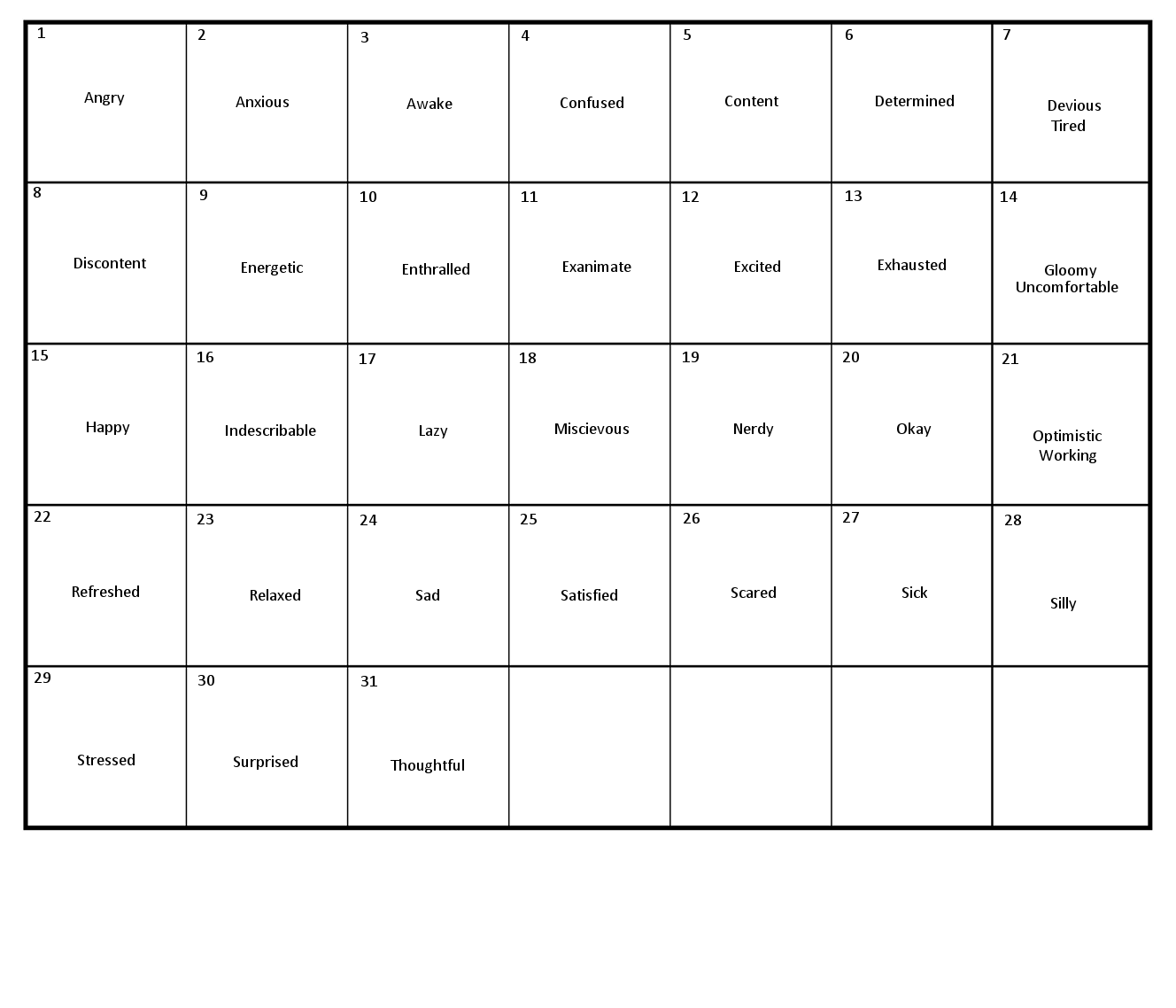
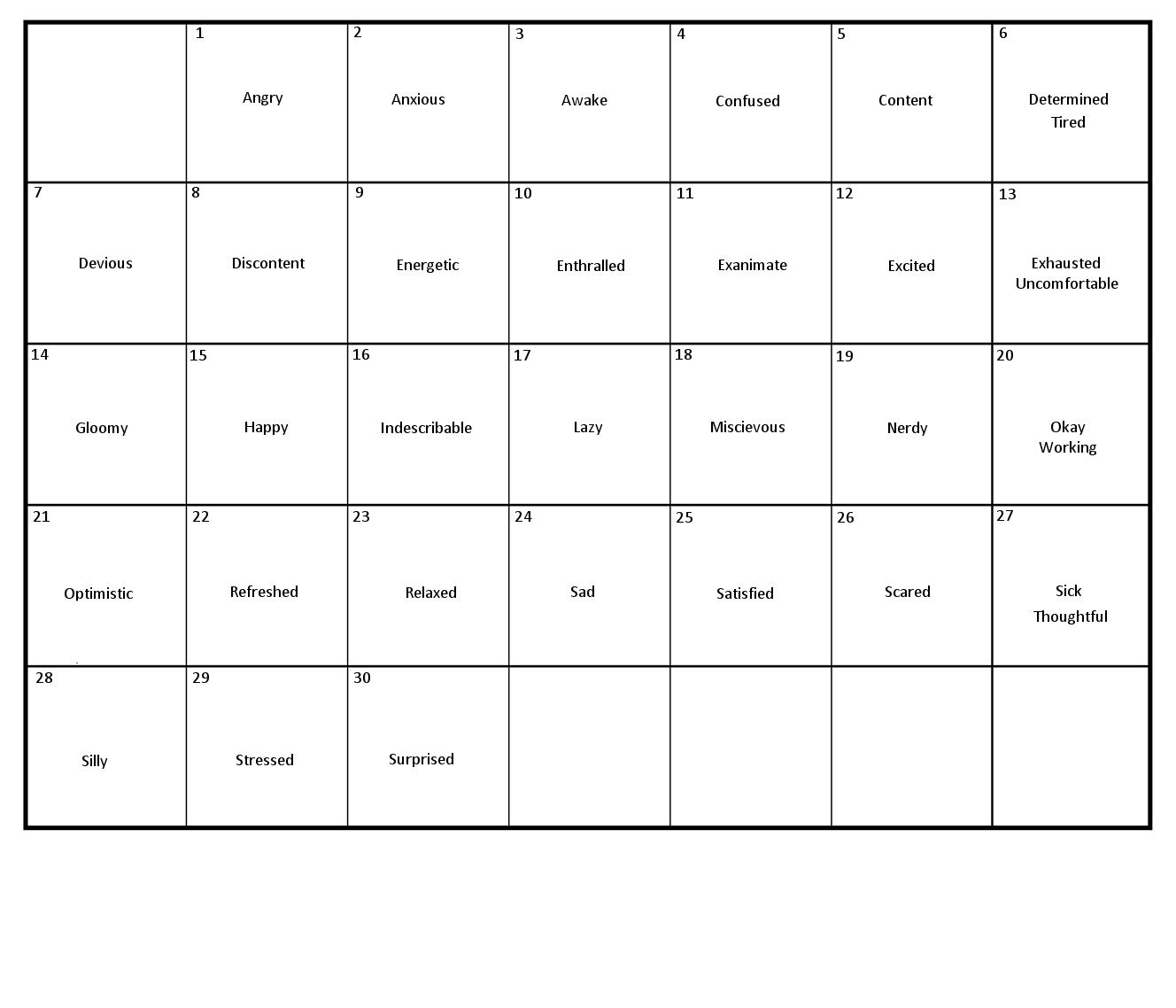
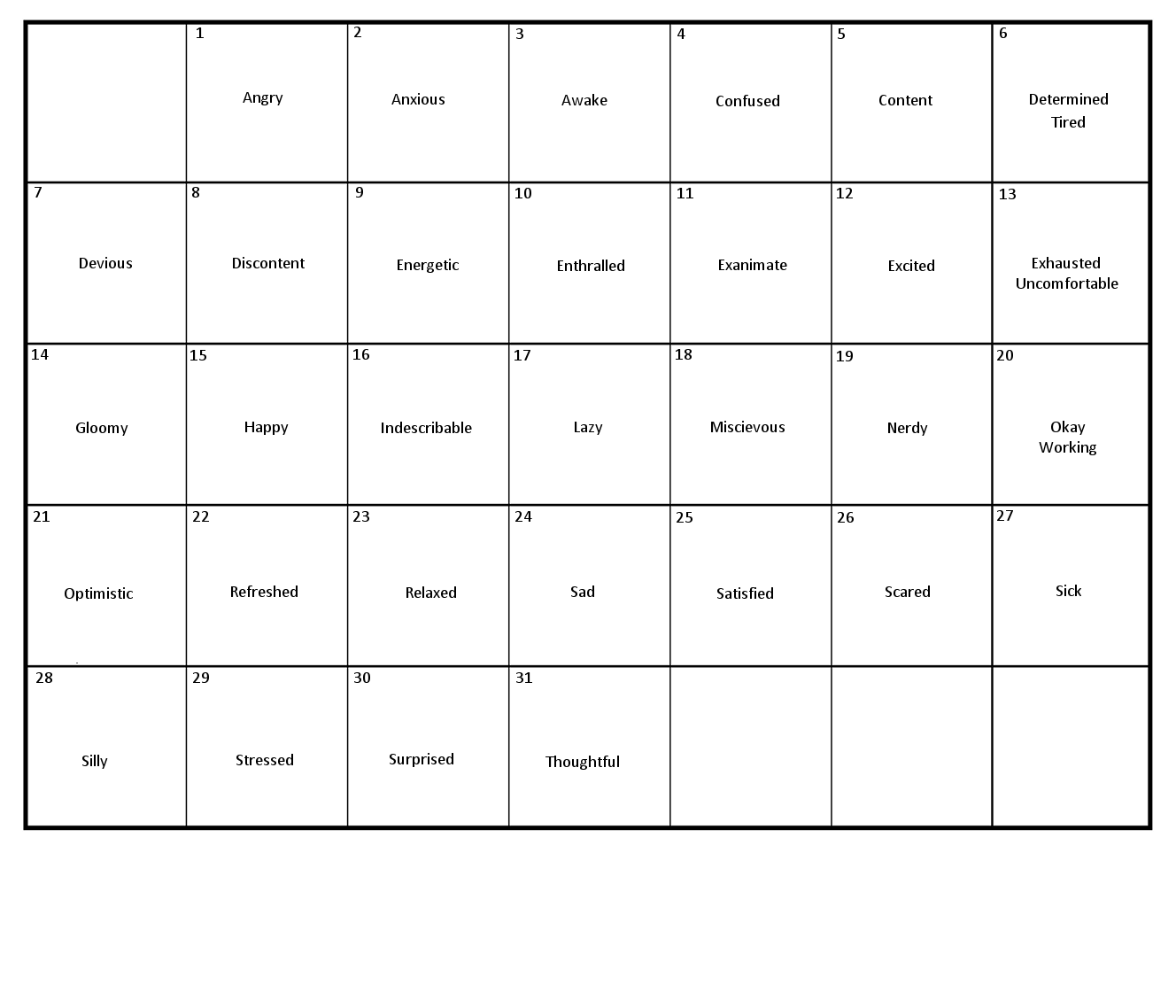
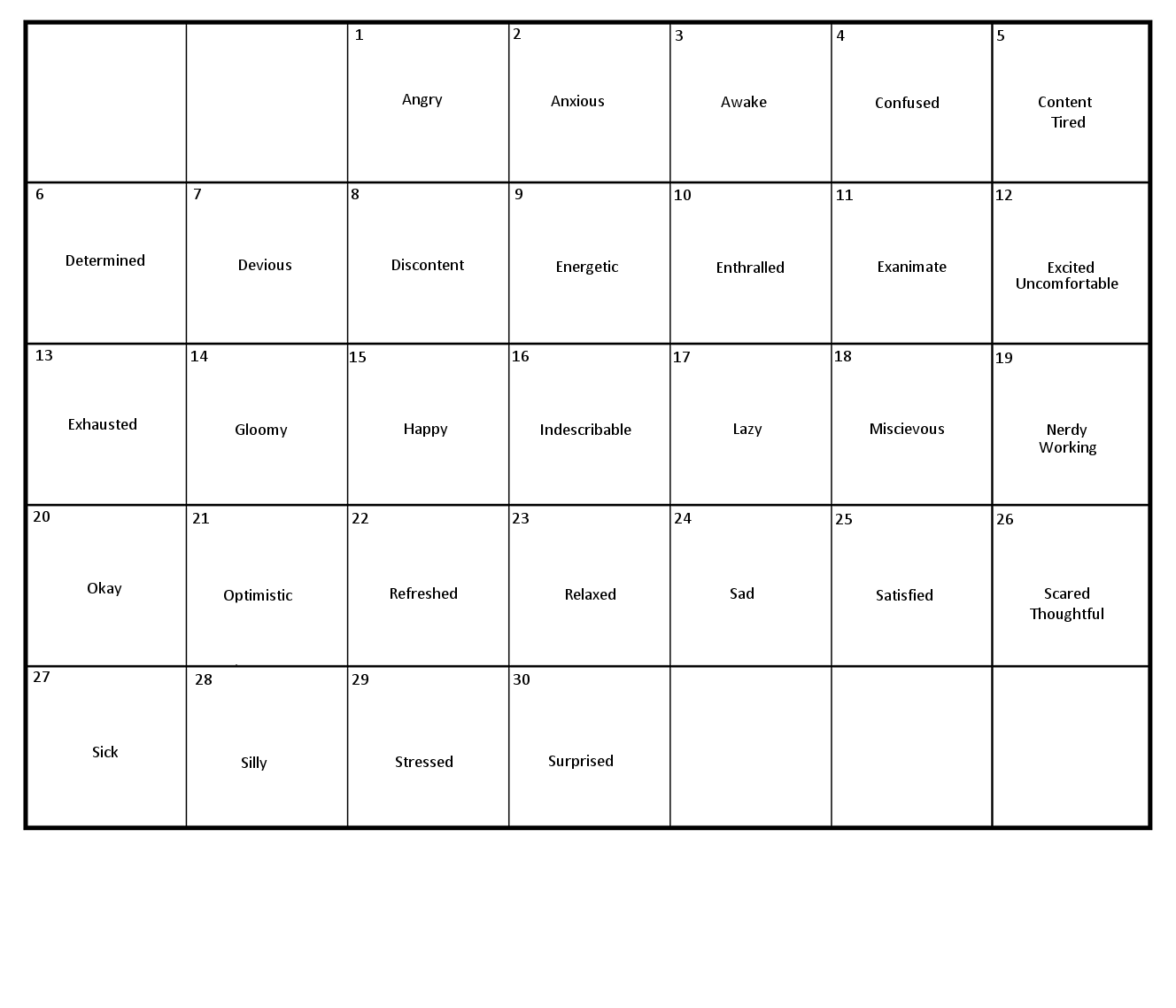
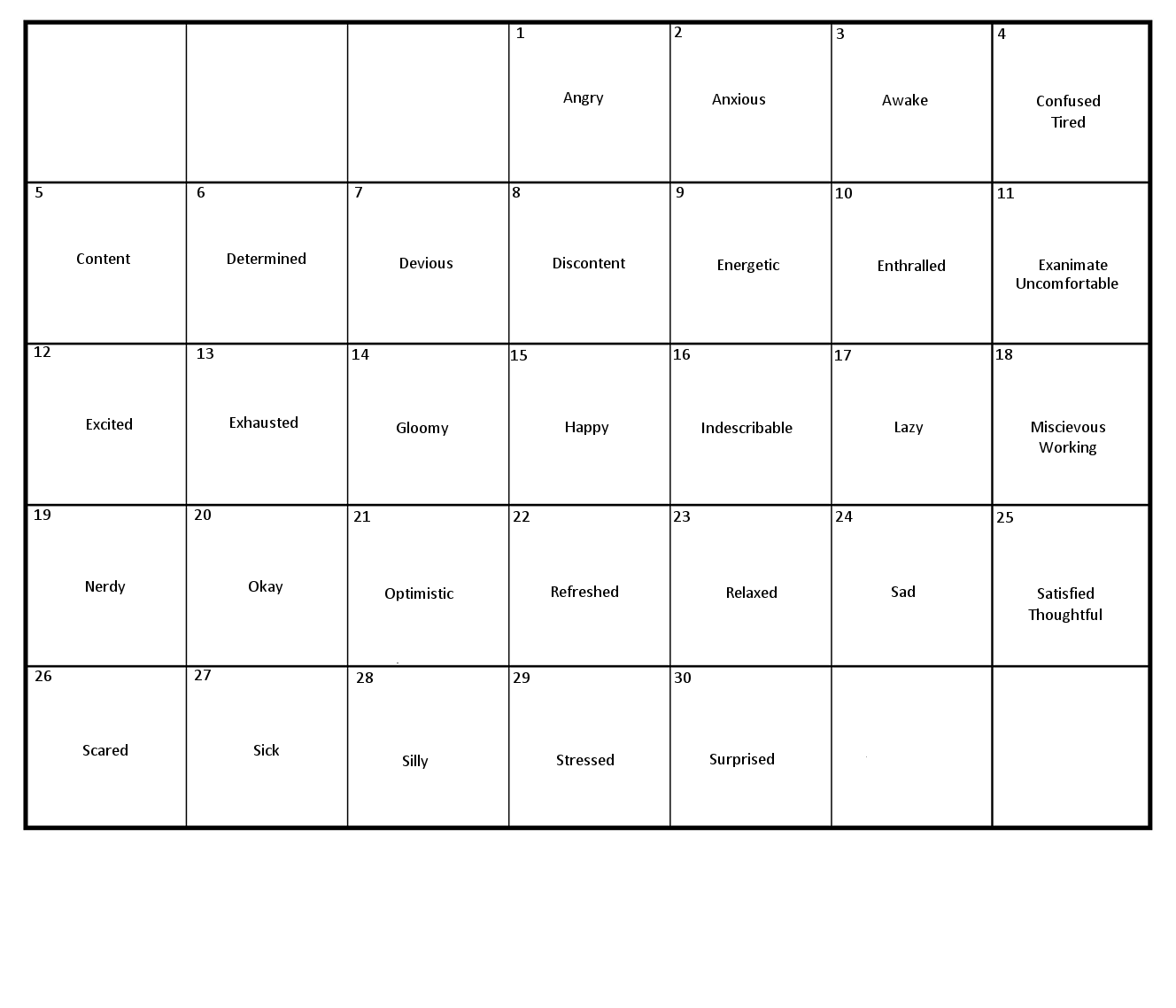
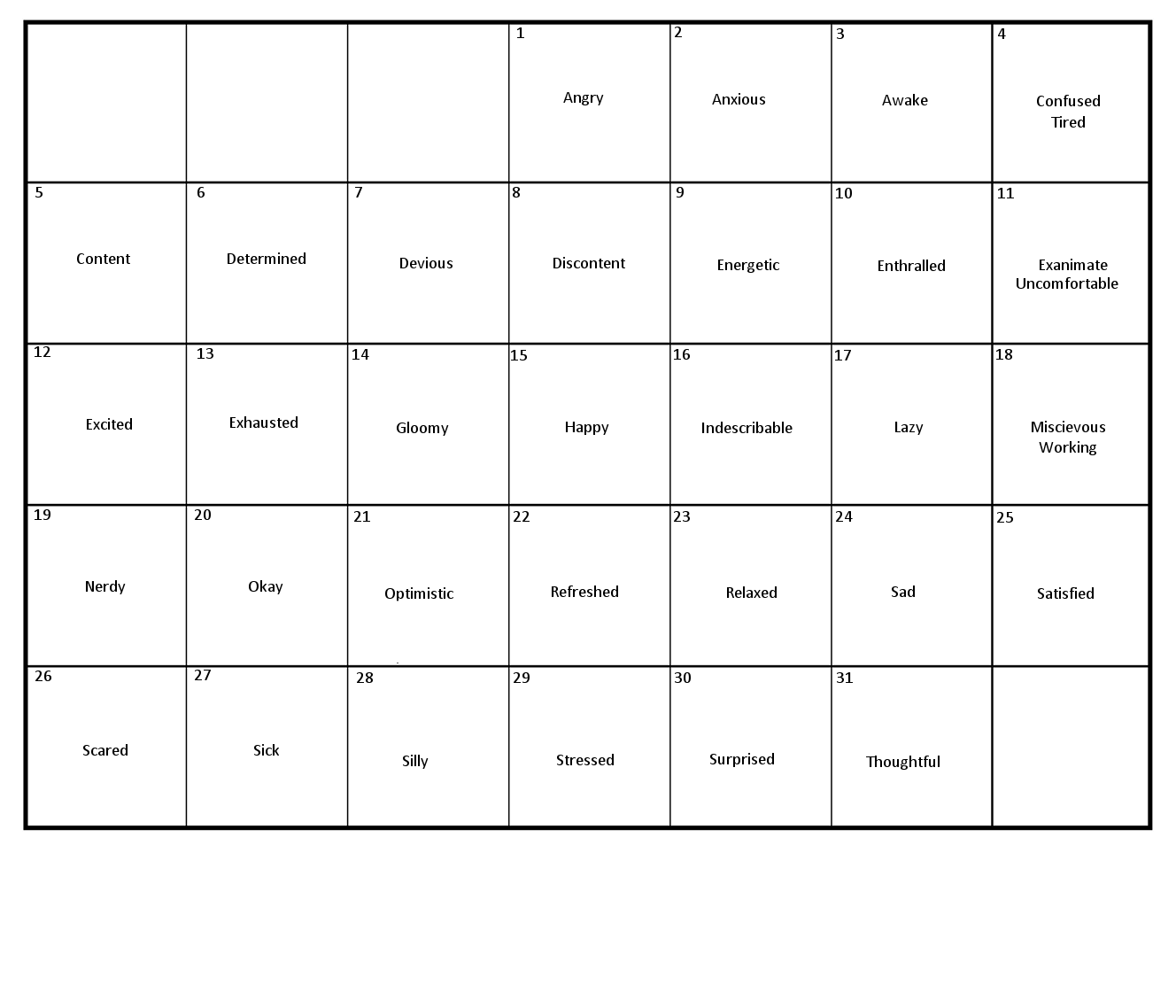
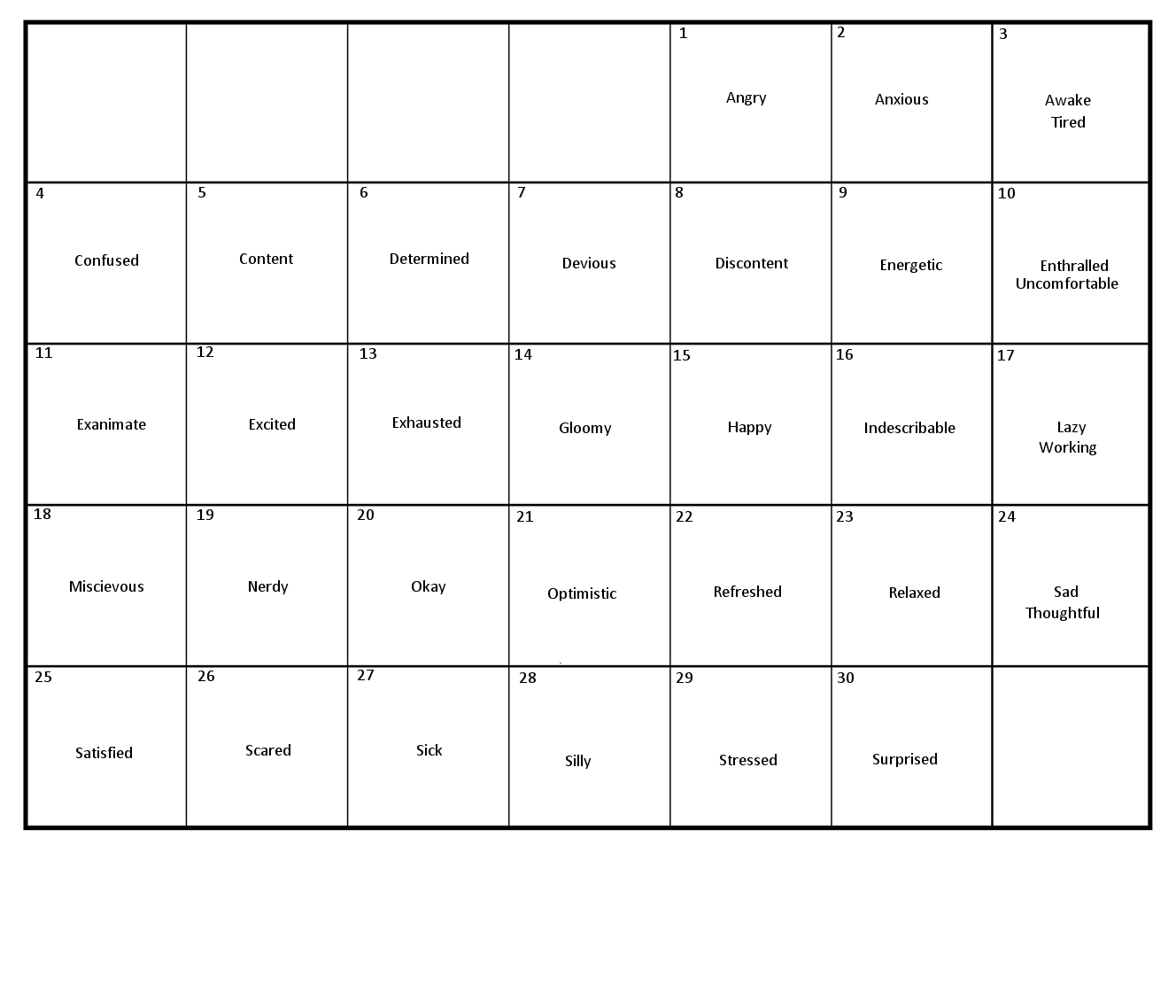
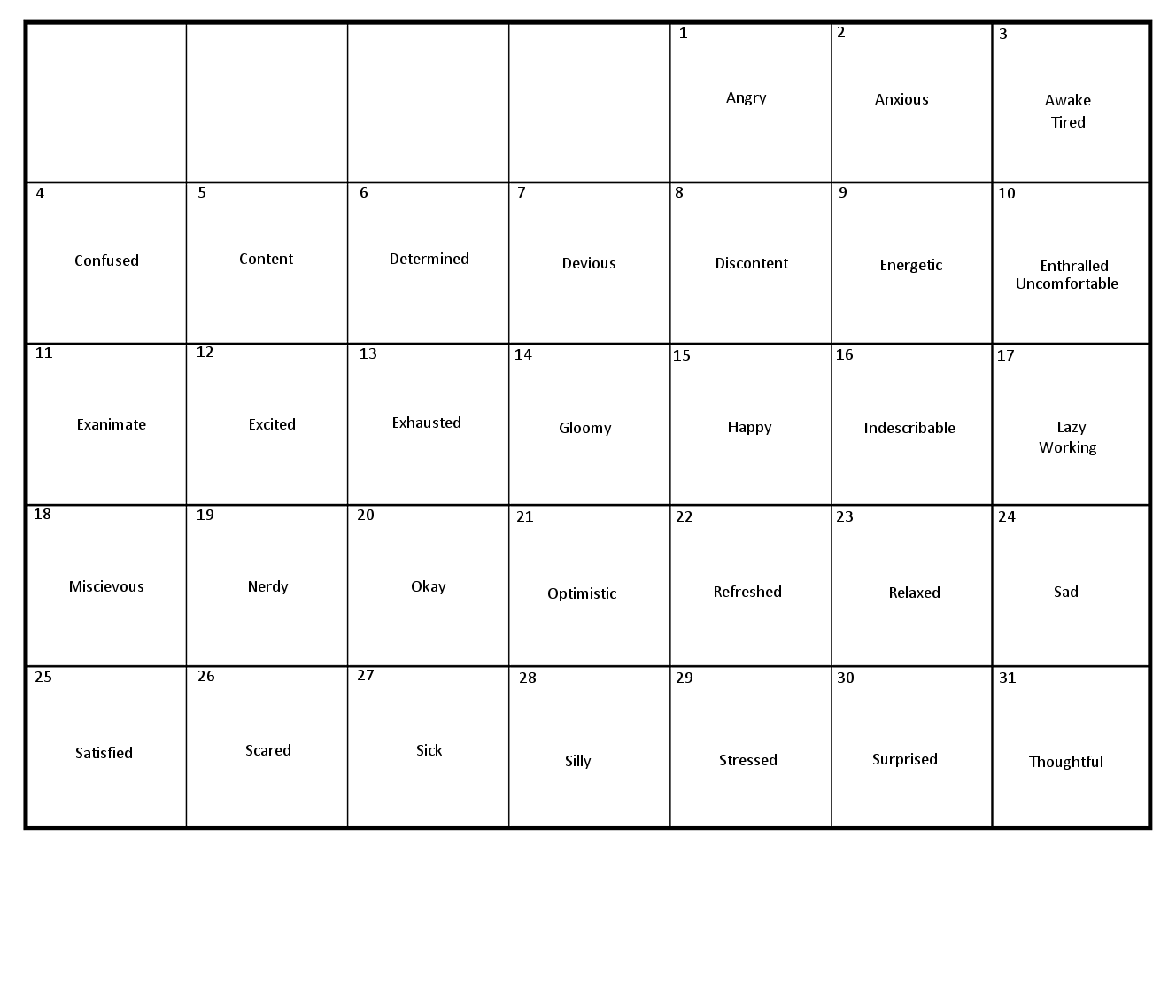
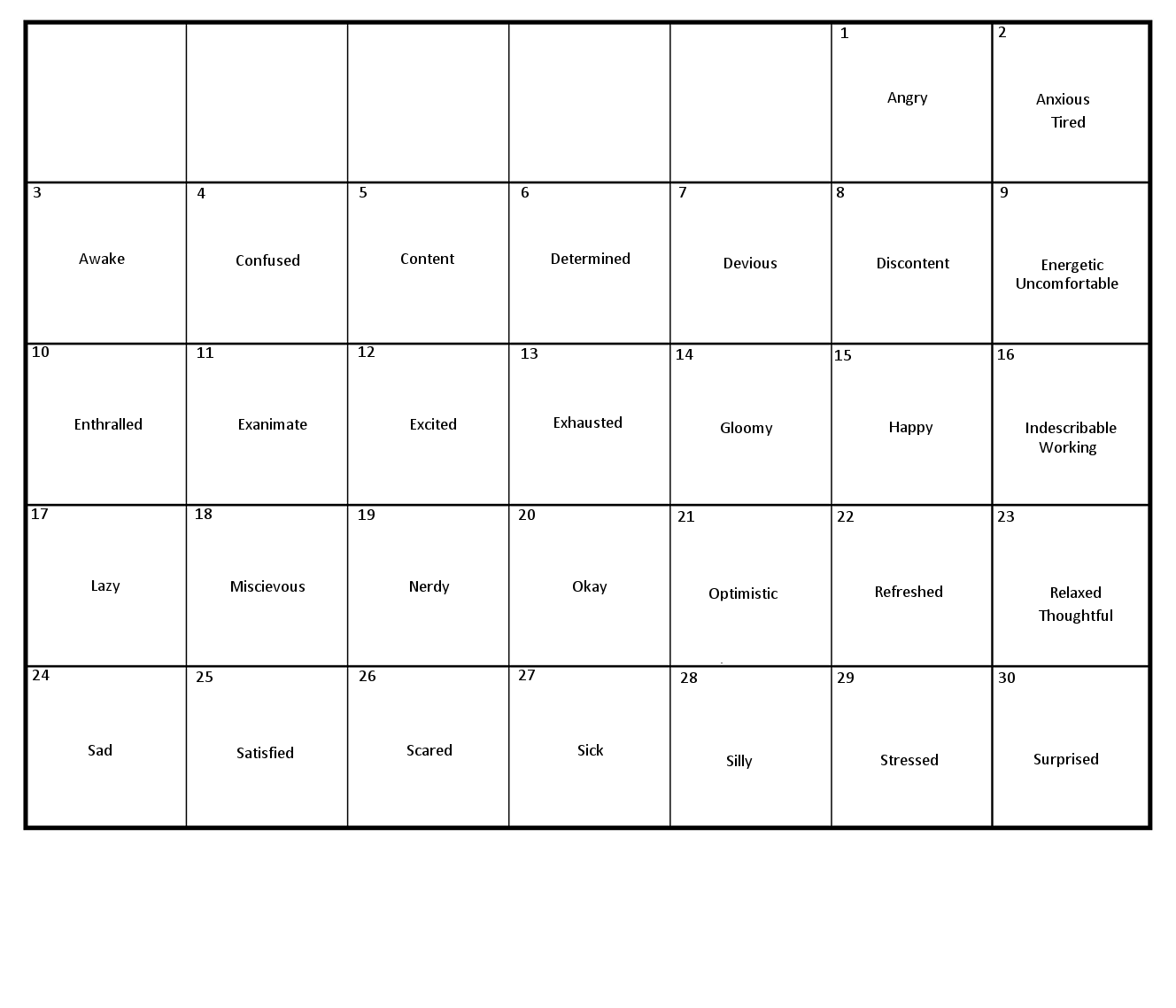
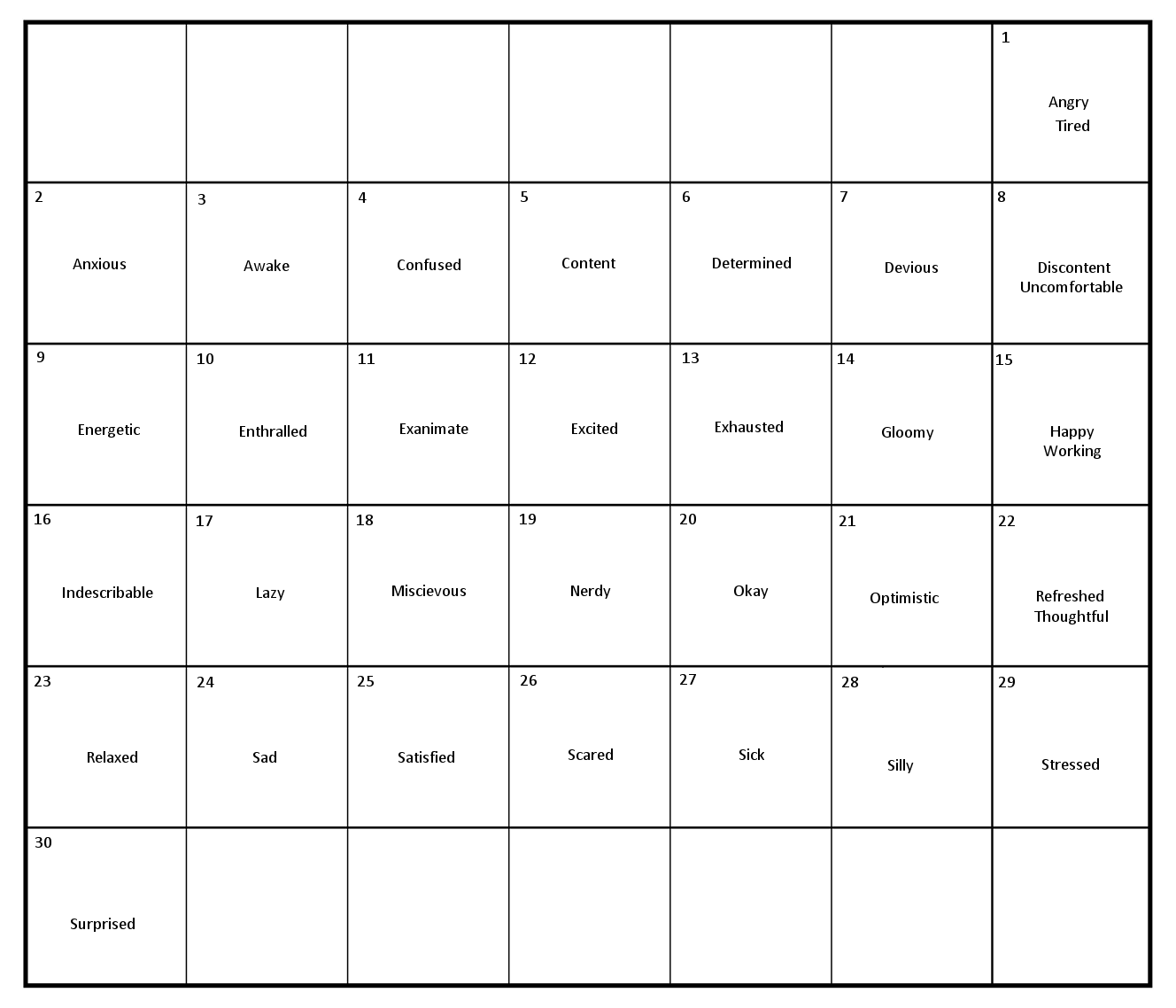
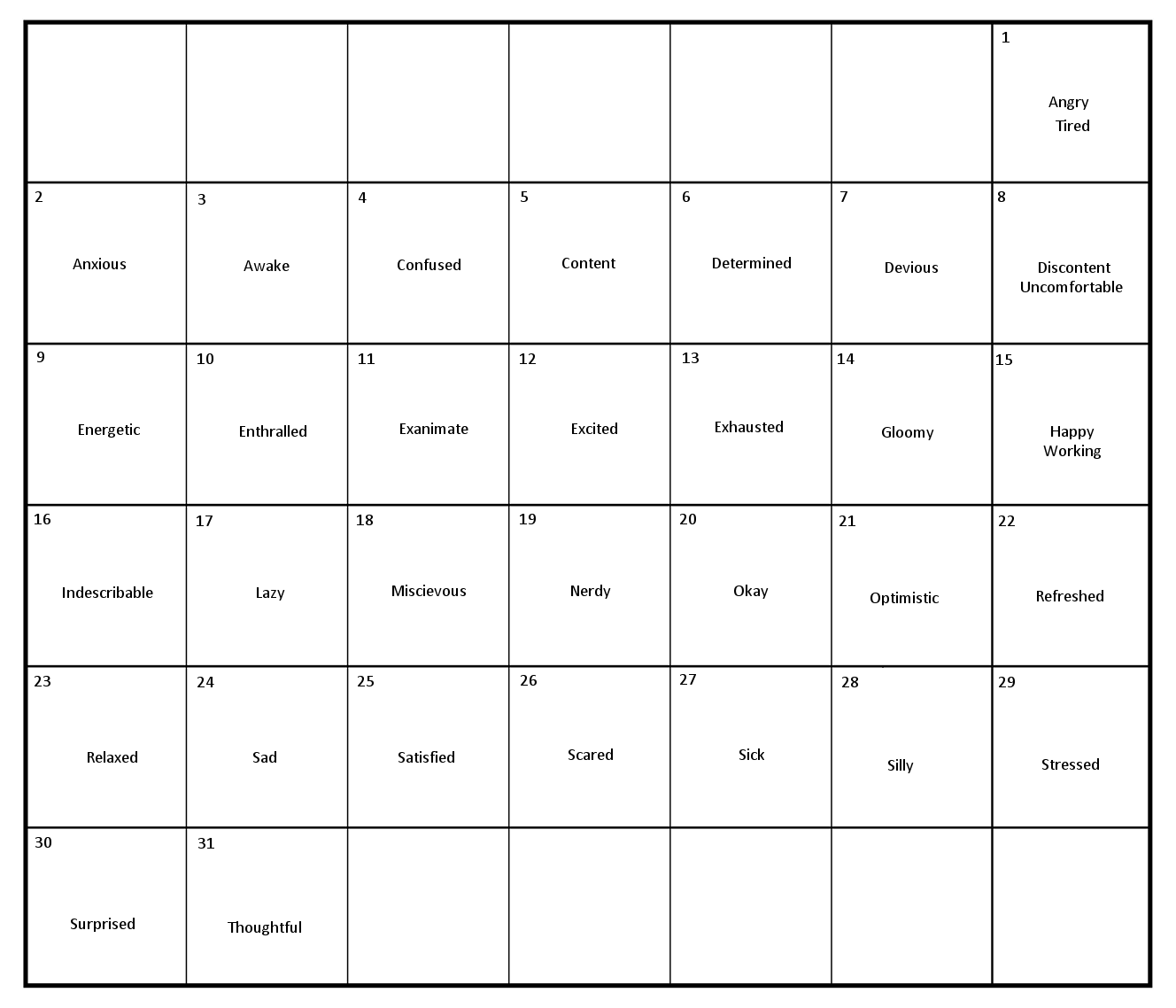
There are a total of fourteen calendar pages: They only have day numbers and moods listed on them, no assigned months (or days of the week, because that was just easier for me). There is a version that starts on each day of the week for both 30-day months and 31-day months; I left off February, because no thank you. Here are the pages, should anyone want to save them or print them out or whatever. They're very minimalist, because again, easiest for me.
Sunday 30 | Sunday 31
Monday 30 | Monday 31
Tuesday 30 | Tuesday 31
Wednesday 30 | Wednesday 31
Thursday 30 | Thursday 31
Friday 30 | Friday 31
Saturday 30 | Saturday 31
Phew! I sure hope I got all of those in the right place; they didn't stay in order when I uploaded them, and I'm not going to go checking them individually at the moment, kthx.
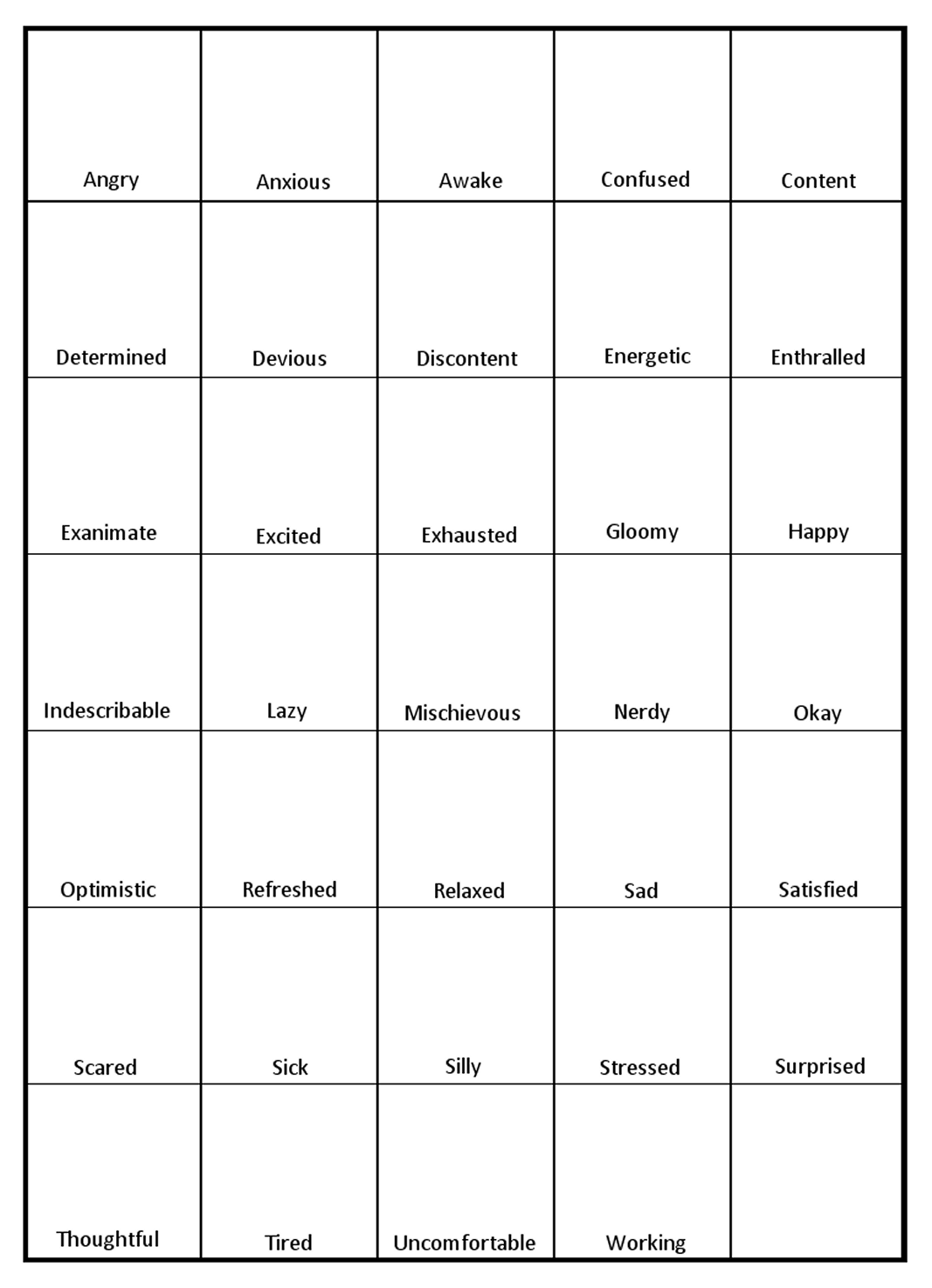
I also made a "mood challenge" grid; it's got the same 34 moods in a 5x7 grid (last square empty), with the squares mostly empty. The idea is to print it out and do little sketches for each mood in each square, and then maybe a freebie/wild card square at the end. You can check that out here. I'm hoping to print off a few copies of it, so I can take it with me and do some mood theme-y sketching without constantly referring back to my phone for what the next mood is 😂
All of these should add yet more flexibility for mood theme creation and challenges, whee!
And now: Bed time routine.
There are a total of fourteen calendar pages: They only have day numbers and moods listed on them, no assigned months (or days of the week, because that was just easier for me). There is a version that starts on each day of the week for both 30-day months and 31-day months; I left off February, because no thank you. Here are the pages, should anyone want to save them or print them out or whatever. They're very minimalist, because again, easiest for me.
Sunday 30 | Sunday 31
Monday 30 | Monday 31
Tuesday 30 | Tuesday 31
Wednesday 30 | Wednesday 31
Thursday 30 | Thursday 31
Friday 30 | Friday 31
Saturday 30 | Saturday 31
Phew! I sure hope I got all of those in the right place; they didn't stay in order when I uploaded them, and I'm not going to go checking them individually at the moment, kthx.
I also made a "mood challenge" grid; it's got the same 34 moods in a 5x7 grid (last square empty), with the squares mostly empty. The idea is to print it out and do little sketches for each mood in each square, and then maybe a freebie/wild card square at the end. You can check that out here. I'm hoping to print off a few copies of it, so I can take it with me and do some mood theme-y sketching without constantly referring back to my phone for what the next mood is 😂
All of these should add yet more flexibility for mood theme creation and challenges, whee!
And now: Bed time routine.




no subject
Date: 2024-09-21 11:27 pm (UTC)Would Dreamwidth's own Image Gallery feature suit, for this, do you think? I really do not want to set up yet another online account, anywhere.
no subject
Date: 2024-09-21 11:59 pm (UTC)Something to know when assigning images in a mood theme is that you need to know the dimensions of the image in pixels; I made that easy for myself by making all of my rat pictures 100x100 pixels, but if you want to trim things down, Dreamwidth will list the pixel dimensions for you in the Your Images page, so you don't have to remember them, and can look them up easily when needed!
One thing I will mention as being annoying is that Dreamwidth doesn't list the image URL on its own; I went through and selected it from the image sharing links they provided, but it was fiddly work, and I ended up having to re-do images more than once. Something that works better (and I just double-checked to make sure) is right-clicking the image and selecting "Copy Image Link" from the associated menu, and I genuinely wish I'd thought of it when I was first setting up my mood theme 🤦♀️ This isn't something that would work with larger images, but for images that are less than 200x200 pixels, it works fine. Since mood theme images have an upper limit of 100x100 pixels, you should have no problems!
If you have any other questions, let me know!
no subject
Date: 2024-09-22 02:38 pm (UTC)I generally right click: copy image link by default anyway. I haven't decided on the size I want, yet. But I am planning on making them all square, and all the same.
no subject
Date: 2024-09-23 06:57 pm (UTC)no subject
Date: 2024-09-25 05:34 pm (UTC)